---
title: "Navigate the HTML Wizard"
slug: "html-wizard"
updated: 2026-08-17T12:43:28Z
published: 2026-08-19T08:44:05Z
canonical: "docs.grassfish.com/html-wizard"
---
> ## Documentation Index
> Fetch the complete documentation index at: https://docs.grassfish.com/llms.txt
> Use this file to discover all available pages before exploring further.
# Navigate the HTML Wizard
As a spot developer with HTML knowledge, you can create your own HTML spots, upload them to IXM One and edit them in the HTML Wizard.
- HTML Wizard spots behave like all other spots in IXM One.
- You can manage them in spot groups, drag them into playlists, and edit their properties.
- You can integrate HTML Wizard spots into [HTML Composer](/grassfish/docs/html-composer) spots as widgets.
> [!NOTE]
> Note
>
> See the [spot developer documentation](/grassfish/docs/html-spot-development) for more information on HTML spots.
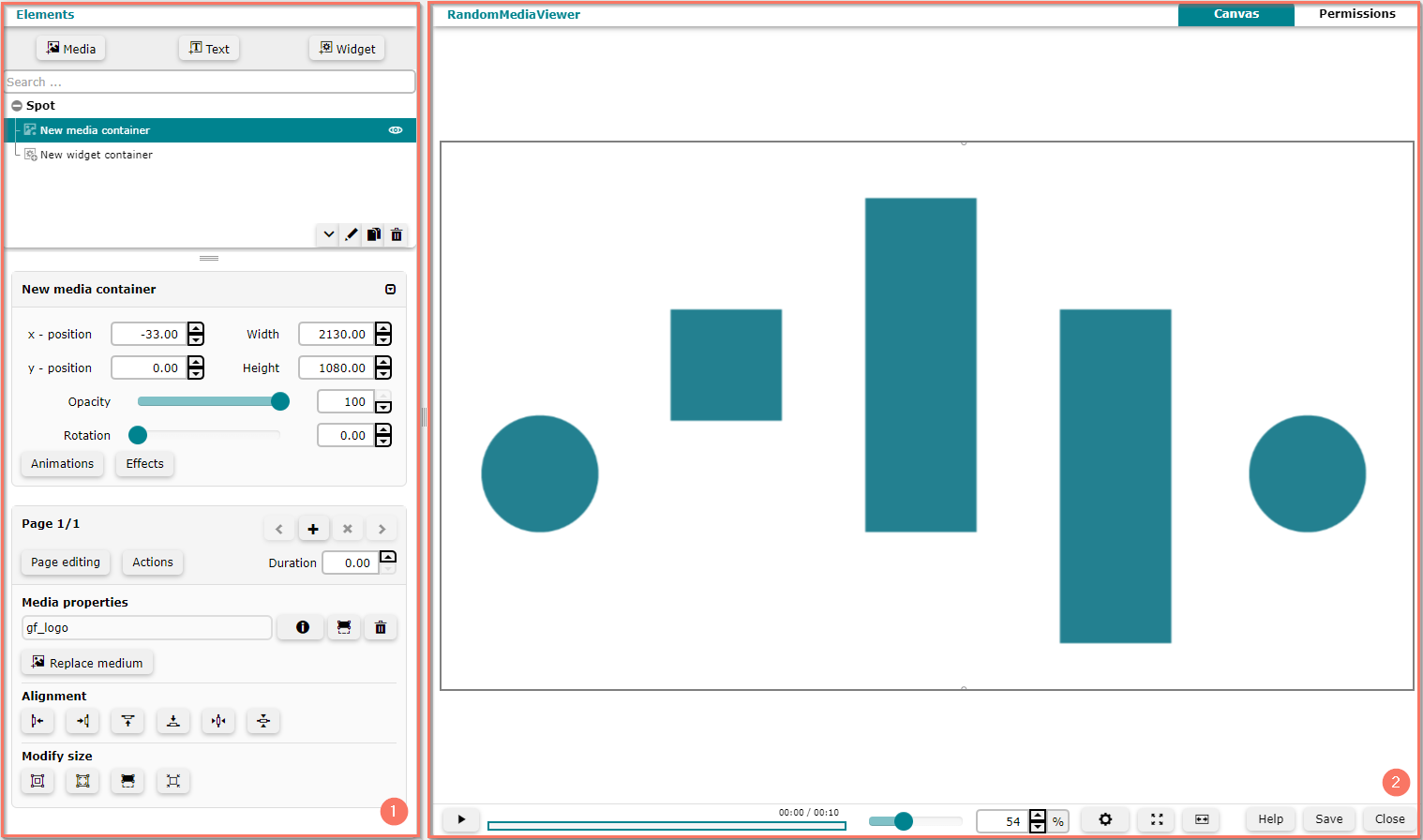
The HTML Wizard opens in a separate browser window and provides two main areas:
| **1** | [Elements](/grassfish/docs/manage-elements): Use this area to configure spot elements and properties such as resolution or duration. |
| --- | --- |
| **2** | [Canvas](/grassfish/docs/use-the-canvas): Use this area to see the spot elements and a preview of the whole spot. [Permissions](/grassfish/docs/set-permissions): Use this area to specify who can edit spot elements and properties |